Skip to content // Free Plugin

ABCode View As Role Switcher
See the front end exactly as any role sees it.
// What it does
Lets an administrator view the front end of the site exactly as a chosen user role sees it, without logging out or opening a private window.
One of my own plugins, built and launched to the official WordPress.org repository.
Free for anyone to use.
-
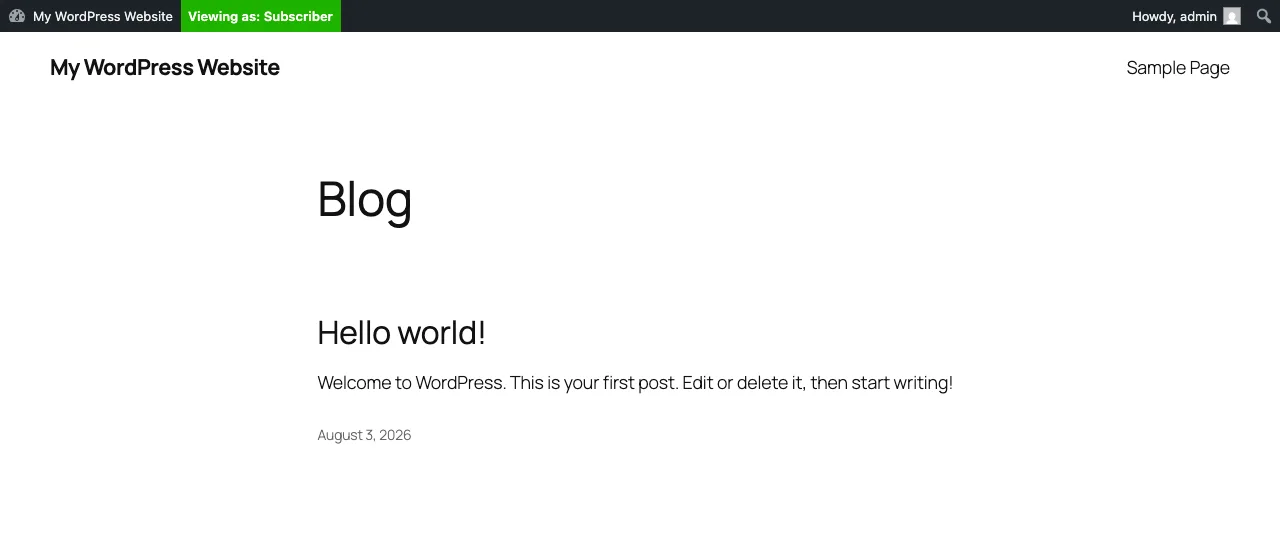
Switch role from the toolbar and reload the front end as they see it
-
A genuine capability switch, not a cosmetic preview
-
Check the logged-out guest view without a second browser
-
Automatic expiry at 15 minutes, 1 hour or 8 hours
-
Nothing is written to the database, and no stored roles are touched
The View As menu in the toolbar, listing every role you have chosen to test with A switched session, with the toolbar showing the role being viewed and the way back The problems it solves
Walk-throughs covering the jobs this plugin was built for, including how to do
them by hand if you would rather not install anything.
Need something bespoke building for your own site?
That's what plugin development is for.
This site uses a couple of cookies for anonymous analytics, so I can see
which articles help. Essential bits work either way.
How cookies are used